How to permanently delete your account | yomeru.ai
Deleting your account removes your library, favorites, reading progress, and all data permanently. Here's what gets deleted and how to confirm.
The Danger Zone page contains irreversible actions for your account. Right now there is one action available: permanently deleting your account.
Getting there
Click your avatar in the top-right corner, then select Settings and open the Danger Zone tab.
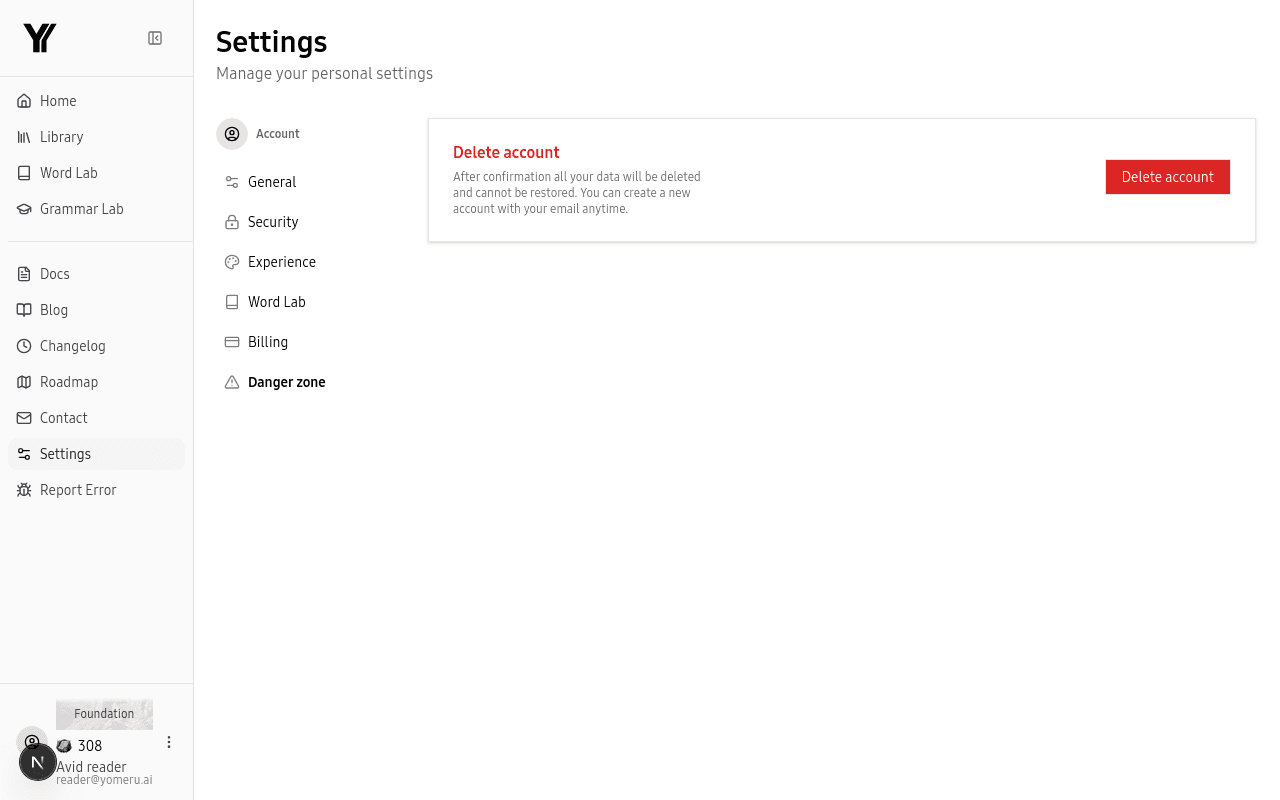 The Danger Zone contains irreversible actions — use with caution
Deleting Your Account
Deleting your account permanently removes everything associated with it:
- Your entire library (all uploads, processed pages, and text files)
- Saved favorites and lookup history
- Reading progress and bookmarks
- Profile information and linked accounts
- Billing and subscription data
This cannot be undone
Once you confirm deletion, your data is gone. There is no recovery option. If you think you might come back, consider keeping your free Expedition account instead.
How Deletion Works
Open Danger Zone
Go to Settings > Danger Zone and click Delete Account.
Verify your identity
If you signed up with email and password, enter your current password. If you signed up with Google, confirm your email address.
Confirm deletion
Click Confirm Delete. Your account and all data are removed immediately.
After deletion you are redirected to the login page. You can create a new account with the same email address at any time, but none of your previous data will be restored.