Quick start: read interactive Japanese in 5 minutes | yomeru.ai
Create an account, upload a manga page, and click your first word — all in about five minutes. Step-by-step walkthrough with screenshots.
This guide gets you from zero to reading interactive Japanese in about five minutes. All you need is a manga page (or any image with Japanese text) and a modern browser.
Before you begin
Have a JPG, PNG, or WebP image of a manga page ready. If you do not have one handy, any photo of Japanese text will work for a first test.
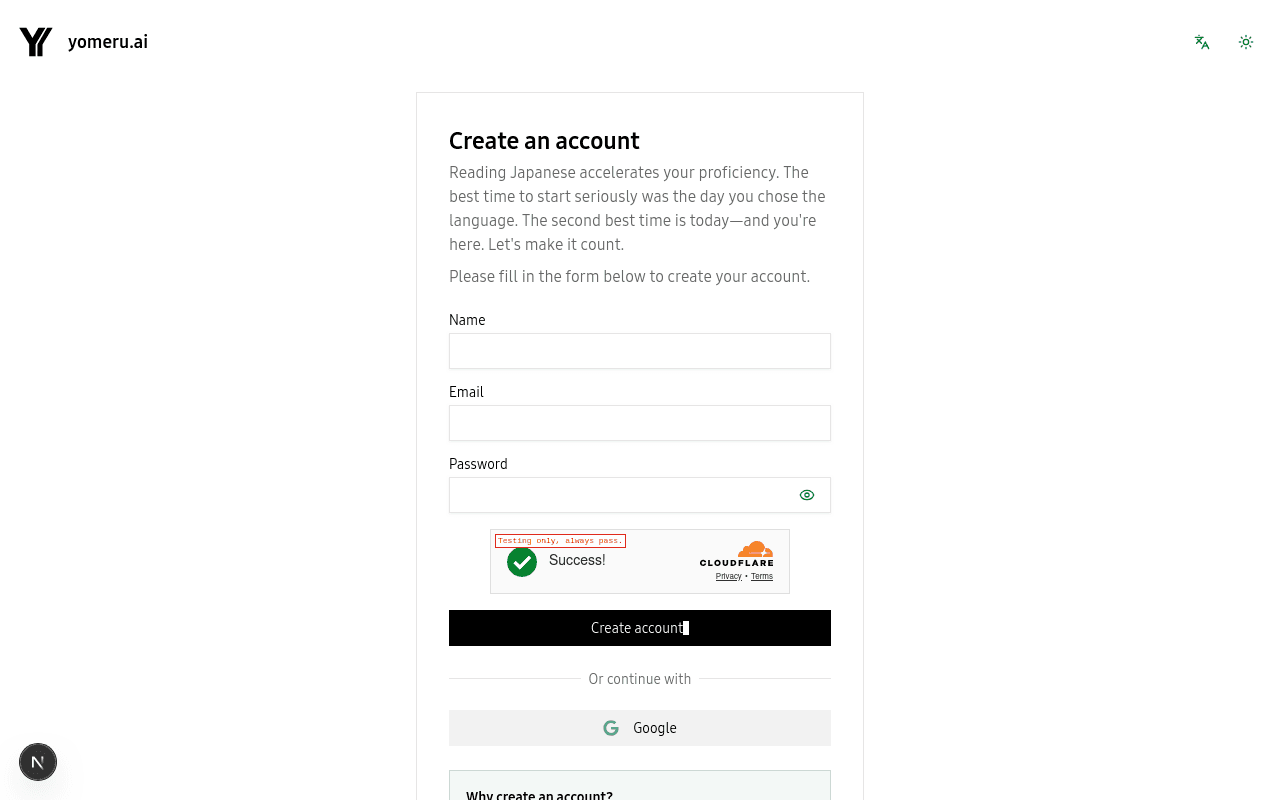 Sign up with email, a magic link, or your Google account — all free
Create your account
Head to yomeru.ai and click Get Started. You can sign up with an email and password, request a magic link for passwordless login, or continue with Google. The free Expedition plan gives you 10 credits per month — plenty for a first session.
Already have an account? Just sign in.
Upload a page
Once you are logged in, open your Library and click Upload. Drag your image into the upload area or click Select files to browse. Make sure Manga mode is selected if your image has speech bubbles (choose Novel mode for text-heavy pages without bubbles).
Each image uses 1 credit to process.
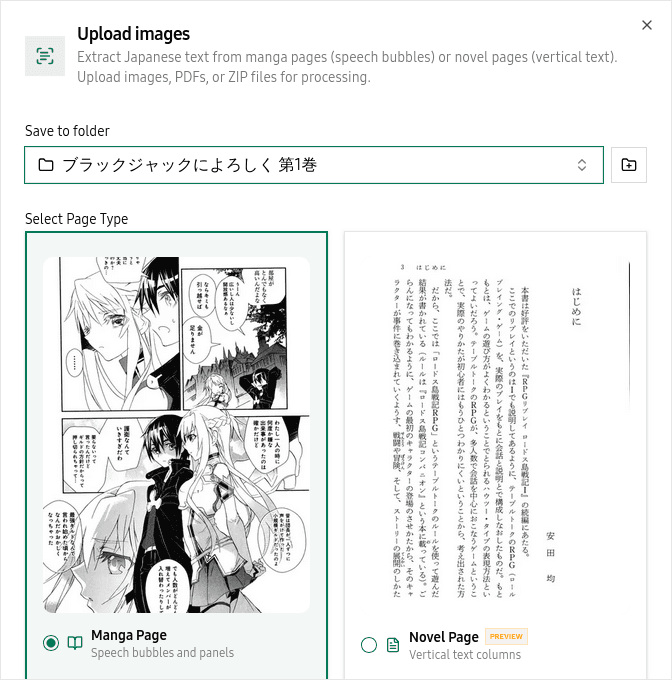 The upload dialog lets you drag files in and choose Manga or Novel mode
Wait for processing
Our AI extracts and analyzes the text on your page. This usually takes 10 to 30 seconds. You will see a progress indicator — once it finishes, your page is ready to read.
Start reading
Click your processed page to open it in the reader. Every detected word is now clickable. Tap a word to see its reading, meaning, and part of speech. Select a full sentence to get a grammar breakdown or a context-aware translation. Save any word to your favorites for later review.
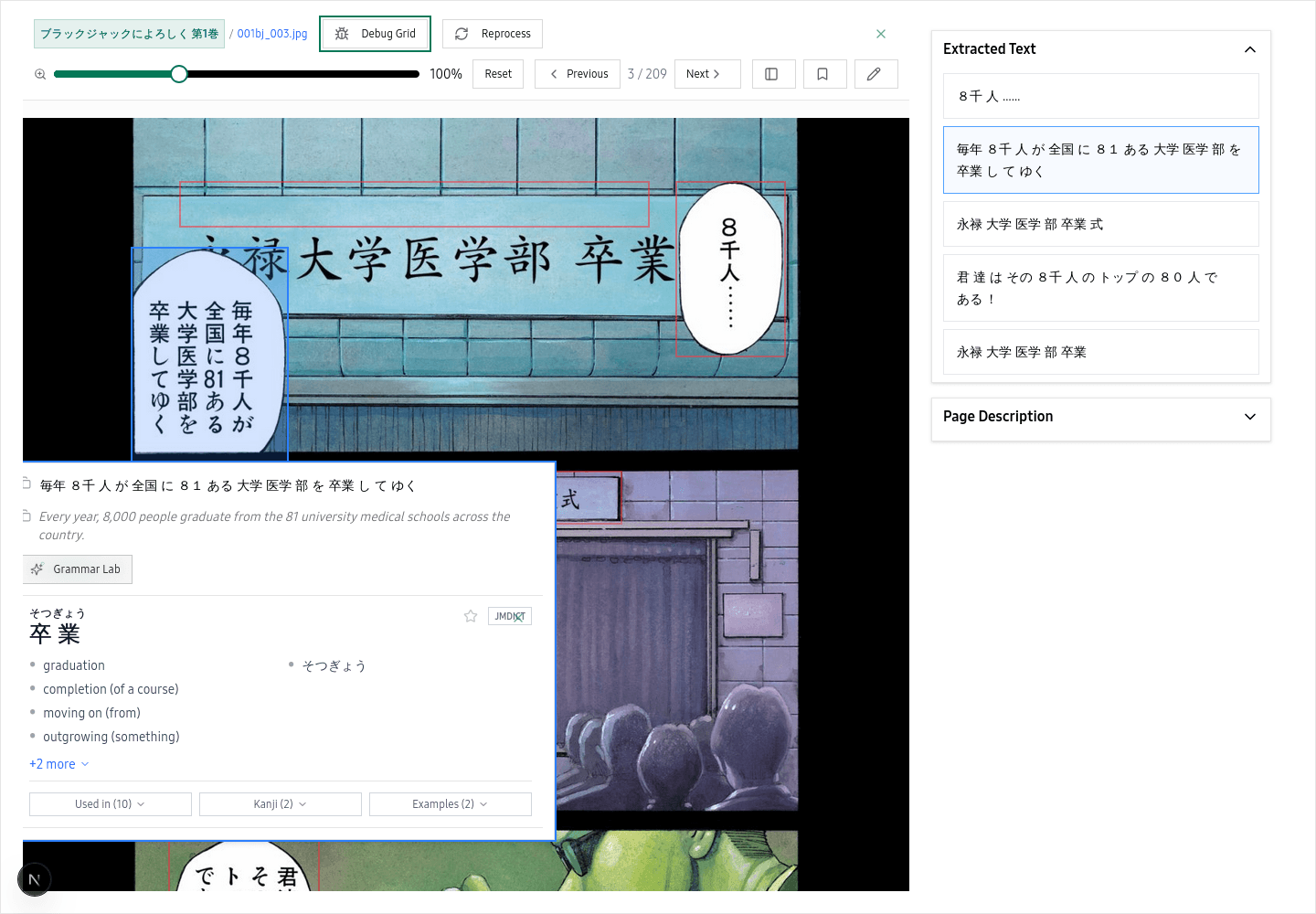 Every detected word is clickable — tap any word for instant readings and meanings
All AI features are free
Word lookups, grammar labs, example sentences, context translations, and kanji details never cost credits. Only processing new pages uses credits.
Tips for best results
Use images that are at least 720p with good contrast between text and background. Clean scans with sharp speech bubbles give the best accuracy. Avoid heavily compressed or blurry images when possible.
Related pages
Getting started with yomeru.ai | yomeru.ai
From sign-up to your first interactive manga page in under five minutes. No installs, no configuration — just a browser and a manga page.
Create an account — email, magic link, or Google | yomeru.ai
Sign up in under a minute using email and password, a passwordless magic link, or your Google account. Free Expedition plan, no credit card needed.