How to upgrade your plan and get more credits | yomeru.ai
Upgrade from Expedition to Foundation or Lifetime in one minute. Credits appear immediately; existing credits carry over. Prorated billing mid-cycle.
Upgrading takes about a minute. Your new credits are available immediately after payment, and if you upgrade mid-cycle you only pay the prorated difference for the remaining days.
How to Upgrade
Open billing settings
Go to Settings > Billing from your account menu.
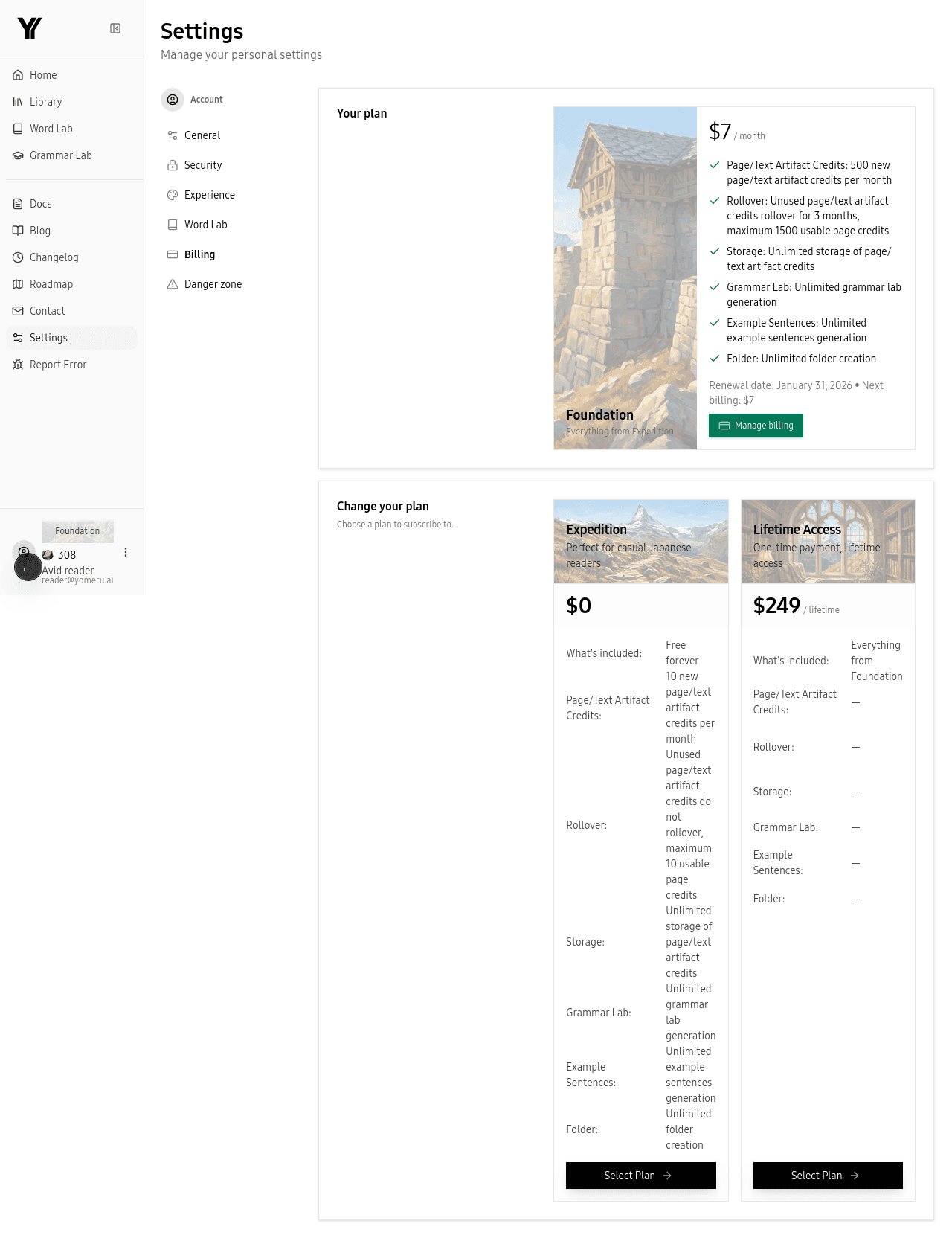 Go to Settings > Billing to see your current plan and credit balance
Choose your plan
Select Foundation (monthly or yearly) or Lifetime. Yearly billing offers savings compared to paying monthly.
Complete payment
Enter your credit or debit card details through our secure Stripe checkout. Your card is charged immediately.
Start using your credits
Your new credits appear in your account right away. Any existing credits carry over -- nothing is lost.
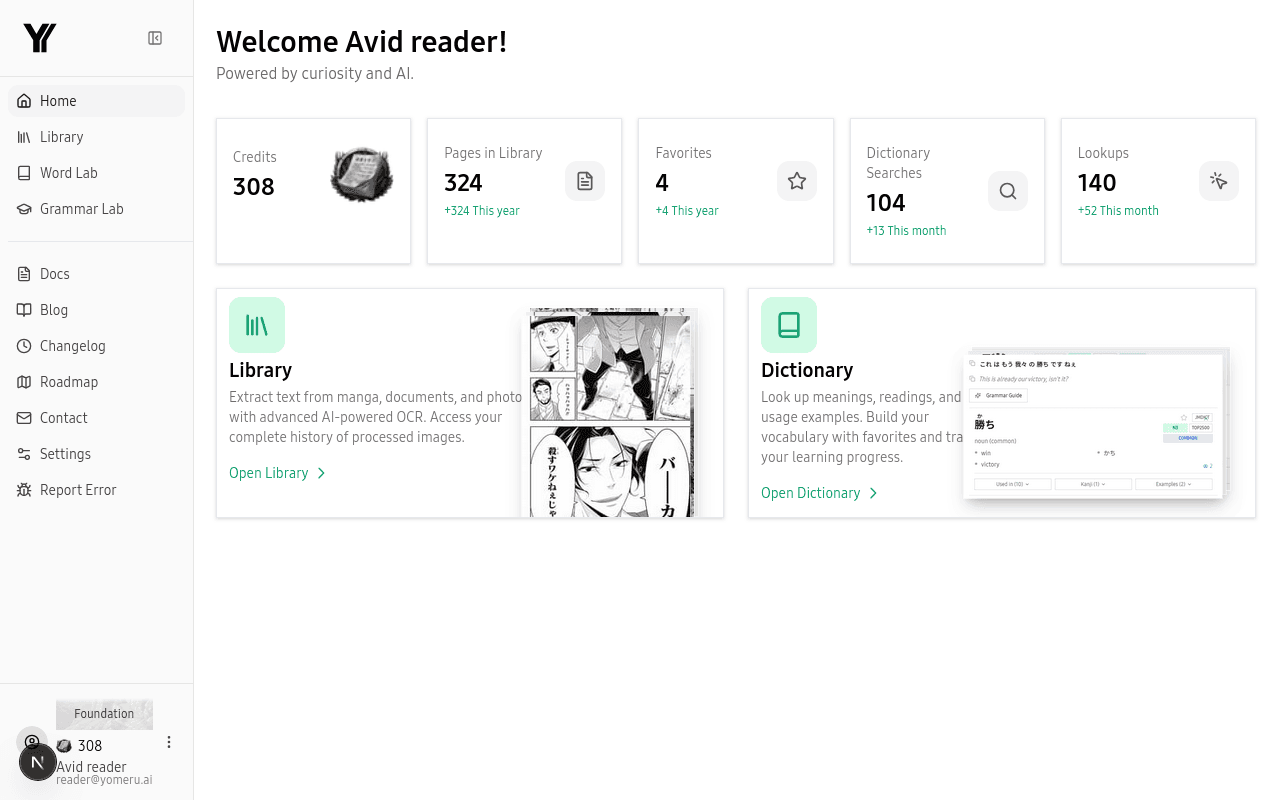 Your new credits appear on the dashboard right away
Upgrade Paths
| From | To | What changes |
|---|---|---|
| Expedition | Foundation | 10 credits/month becomes 500, with rollover up to 1,500 |
| Expedition | Lifetime | 500 credits/month, one-time payment, no recurring charges |
| Foundation | Lifetime | Same 500 credits/month, but you stop paying monthly |
Prorated Billing
If you upgrade from Foundation monthly to yearly (or from Expedition to Foundation) partway through a billing cycle, you are only charged the difference for the remaining days. Your new credit allowance kicks in immediately, and your next full charge happens at the start of the next cycle.
Payment methods
We accept credit and debit cards (Visa, Mastercard, Amex, and more) through Stripe. All payments are processed securely.
Common Questions
Related Pages
What do credits do? One credit = one page | yomeru.ai
Credits cover only image processing. Word lookups, grammar, translations, and all AI features are free on every plan. Balance shown before every upload.
How to manage, cancel, or update your subscription | yomeru.ai
Update your payment card, download invoices, or cancel your plan — all through the Stripe portal in Settings > Billing. Refunds available within 48 hours.