Save words to favorites and review lookup history | yomeru.ai
Tap the heart icon to save a word. Review your favorites list, check lookup statistics, and retrace sessions via your full lookup history.
The words you look up tell a story about what you're learning. yomeru.ai keeps track of every lookup and lets you save the words that matter most, so you can come back to them when you're ready to study.
Your data is private
Your lookup history and favorites are only visible to you. No one else can see what you've looked up.
Saving and Reviewing Favorites
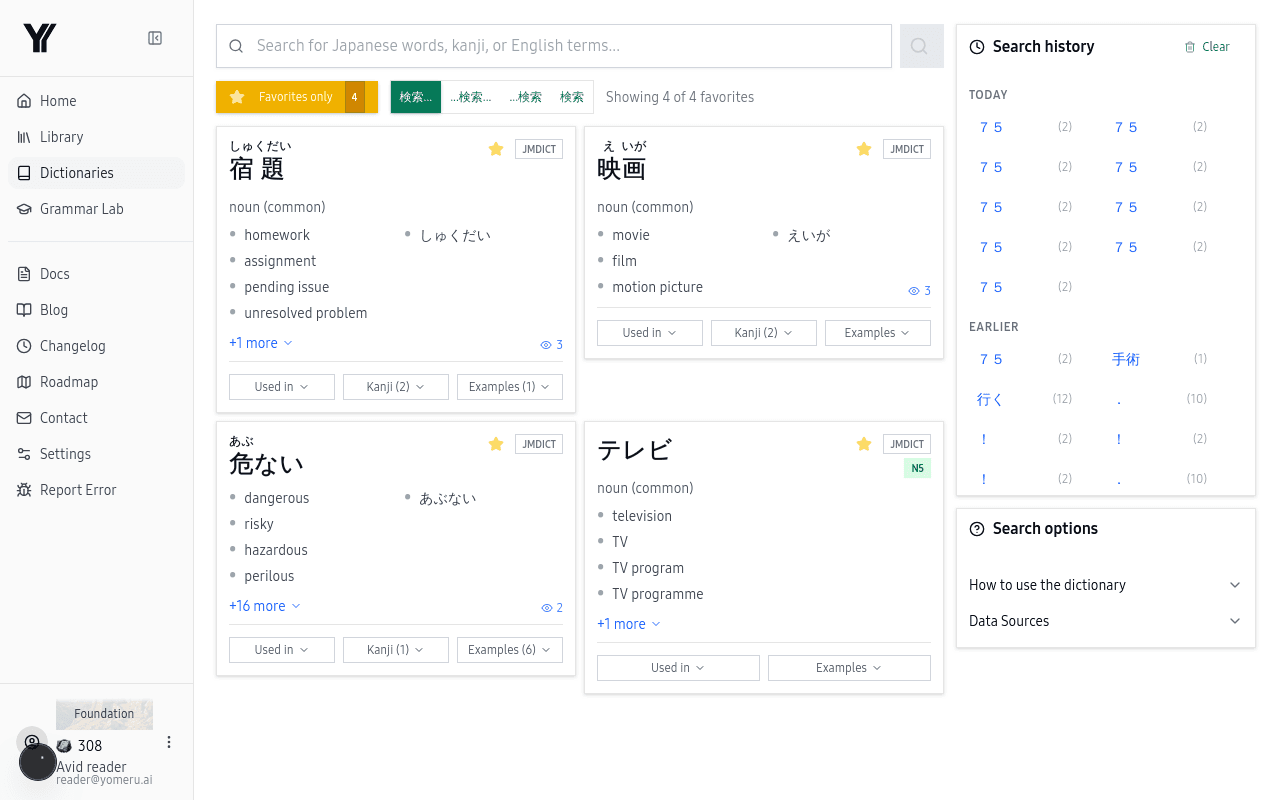 Your saved favorites make it easy to review and study the words that matter most
Click the heart icon on any word
Whenever you look up a word and want to come back to it, tap the heart icon in the popup. That's it — the word is saved.
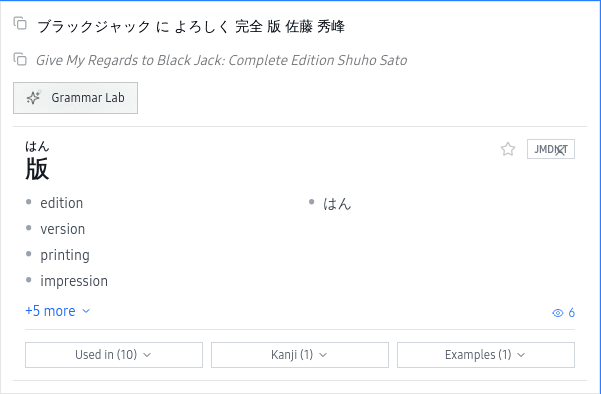 Tap the heart icon in any word popup to save it to your favorites
Find it later in your Favorites
Open the Favorites section to browse everything you've saved. Sort by date or search for a specific word.
Review your lookup statistics to track progress
Your stats show which words you've looked up most often. Words you keep looking up are the ones that need more attention — and your favorites list is the perfect place to focus your review.
Lookup History
Every word you look up is recorded automatically. Your history shows recent lookups with timestamps, so you can retrace your reading sessions and revisit words you didn't save as favorites.
To remove a favorite, just click the heart icon again — in the word popup or from the favorites list. The word is removed immediately.
Lookup Statistics
Your stats give you a picture of your learning patterns: total words looked up, your most frequently checked words, and trends over time. Words that appear repeatedly in your history are strong candidates for focused study.
Related Pages
Sentence analysis — word-by-word breakdown with POS | yomeru.ai
Click any text region for the full sentence broken down word by word: reading, base form, part of speech, and meaning. Conjugated forms show their root.
AI features — grammar, translations, and examples | yomeru.ai
Grammar breakdowns, context-aware story translations, and AI-generated example sentences — all free on every plan, no credits required.