Reader interface — navigation, bookmarks, AI summary | yomeru.ai
Open any processed page in fullscreen, navigate with arrow keys, bookmark scenes, copy text, and get an AI page summary from the reader toolbar.
The reader opens as a fullscreen viewer that puts your content front and center. Every text region on the page is interactive — click anything to start learning. Navigation, bookmarks, and AI tools are all one tap away.
Keyboard shortcuts
Use the left and right arrow keys to move between pages. Everything else is a click or tap.
Getting Around
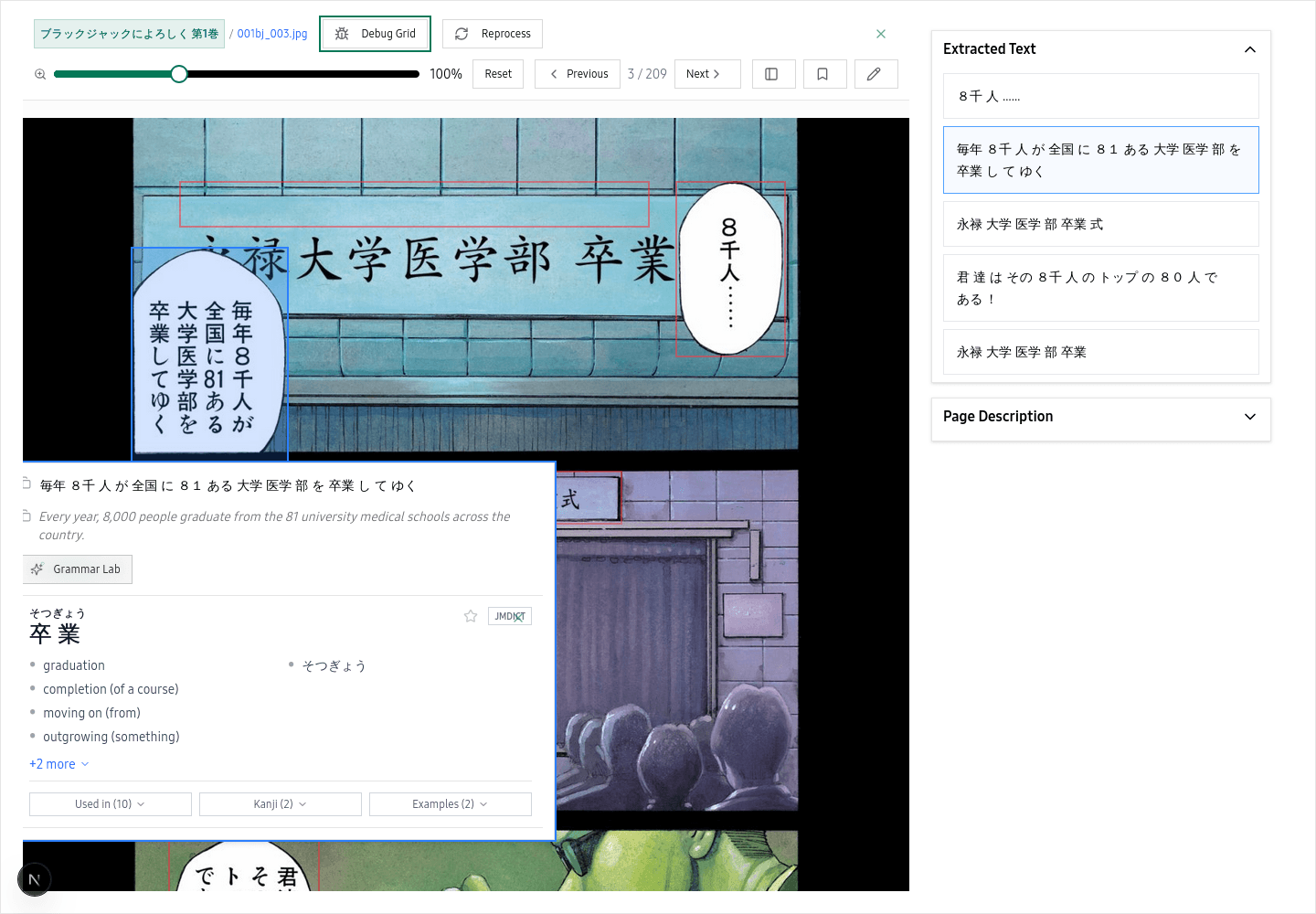 The reader puts your content front and center with interactive text overlays on every detected region
Open your content
Go to your Library and click any processed item. The reader launches in fullscreen.
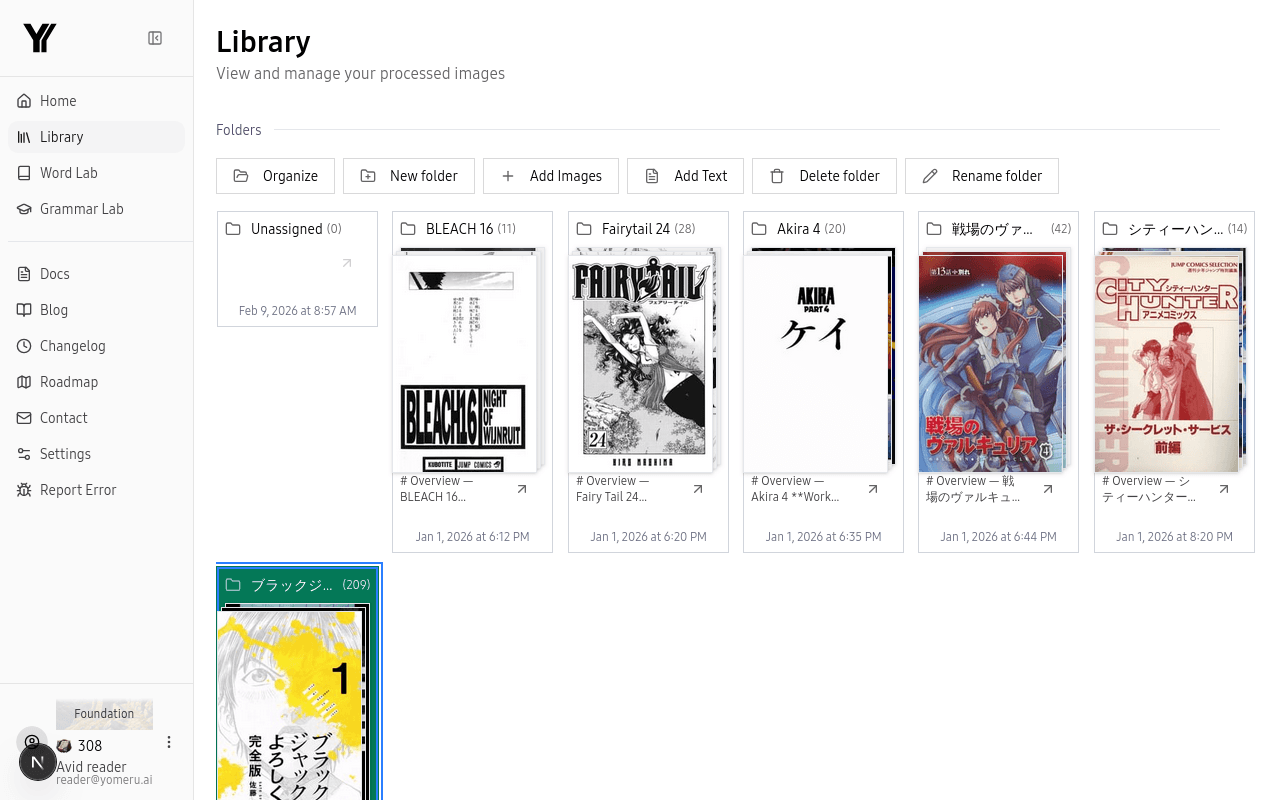 Click any processed item in your library to open it in the reader
Navigate between pages
Use the on-screen arrows (left/right) or press the arrow keys on your keyboard. A position counter in the corner shows where you are, like "3 / 10".
Use the toolbar actions
The toolbar gives you quick access to bookmark the current page, rename your content, copy text from the page, and view an AI summary of what is on the page.
 The toolbar gives you zoom, page navigation, bookmarks, and quick actions
AI Summary Panel
Each page has a collapsible summary panel powered by our AI. Open it to get a quick overview of the page content — useful when you want the gist before working through every word. Click the panel header to expand or collapse it.
Mobile Experience
On phones and tablets the reader uses a simplified layout with larger, touch-friendly buttons. The same features are available — text overlays, bookmarks, AI summary — just arranged so they are easy to reach with your thumb. Navigation works with on-screen arrows or swiping between pages.
Related Pages
Interactive reading overview | yomeru.ai
Every word in processed content is clickable. Tap to look up readings and meanings, select a sentence for grammar analysis, and resume automatically.
Text overlays — tap any word for an instant breakdown | yomeru.ai
Tap any text region in the reader for a word-by-word breakdown with readings, meanings, and part of speech. Click a word to open its full Word Lab entry.