Create an account — email, magic link, or Google | yomeru.ai
Sign up in under a minute using email and password, a passwordless magic link, or your Google account. Free Expedition plan, no credit card needed.
An account lets you save your reading progress, build a personal library, favorite words, and access every AI feature on the platform. Signing up takes under a minute.
Sign-up options
yomeru.ai offers three ways to create an account. Pick whichever is most convenient.
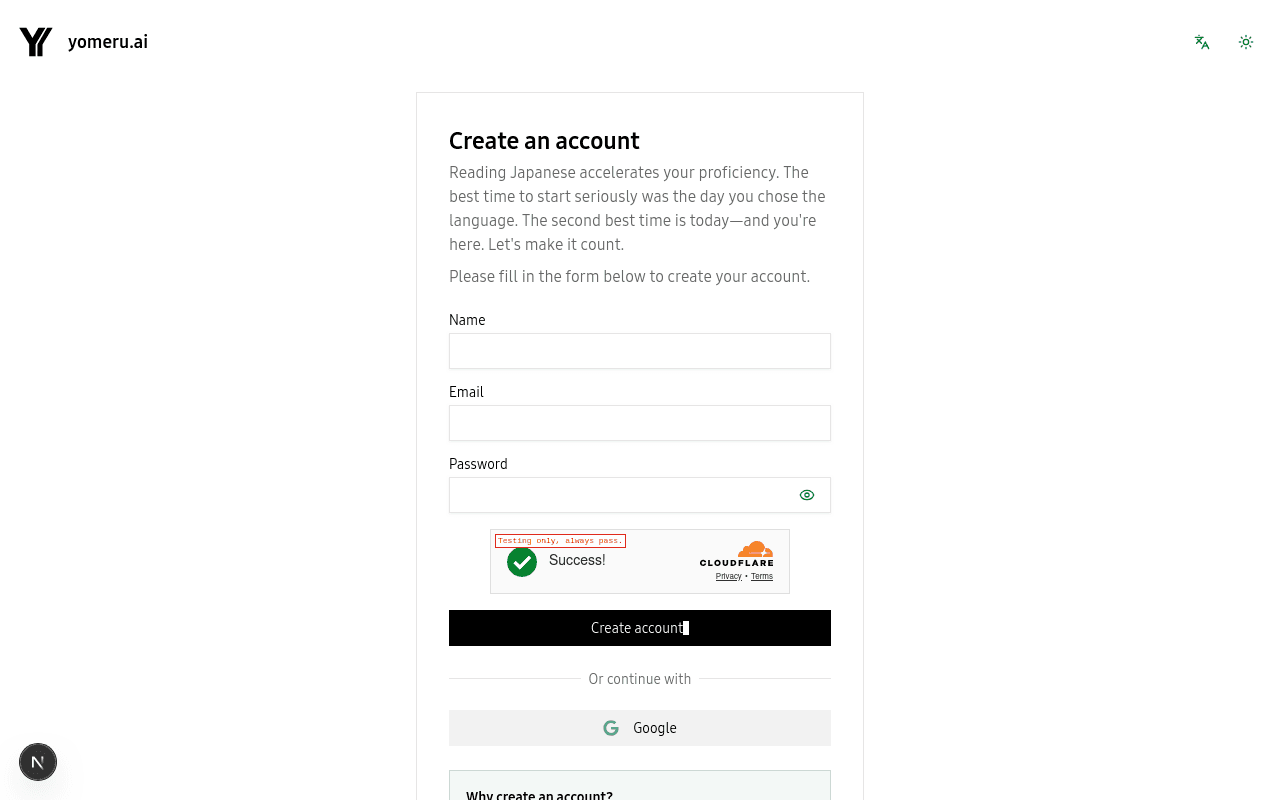 Three ways to create your account — pick whichever is most convenient
Click Get Started on the homepage and choose the email/password option. Enter your email address and create a password.
Your password must be at least 12 characters and include an uppercase letter, a lowercase letter, a number, and a special character.
After submitting, check your inbox for a verification email and click the link to confirm your account.
Prefer not to manage a password? Choose Magic Link and enter your email address. We will send you a one-time login link. Click it to sign in instantly — no password needed, ever.
A new magic link is sent each time you sign in, so keep access to your email.
Click Continue with Google to sign in with your existing Google account. We only request basic profile info (name and email). No password setup is required.
Choose your plan
After signing up, you land on the free Expedition plan with 10 credits per month. That is enough to try out the platform and process a handful of pages. You can upgrade to Foundation or Lifetime at any time from your account settings.
| Feature | Expedition (Free) | Foundation | Lifetime |
|---|---|---|---|
| Page/Text Credits | 10/month | 500/month | 500/month |
| Credit Rollover | No rollover (max 10) | Accumulates (max 1,500) | Accumulates (max 1,500) |
| Storage | Unlimited | Unlimited | Unlimited |
| Grammar Lab | Included | Included | Included |
| Example Sentences | Included | Included | Included |
| Folders | Unlimited | Unlimited | Unlimited |
See Subscription Plans for full pricing details.
All AI features are free on every plan
Word lookups, grammar labs, context translations, example sentences, sentence analysis, and kanji details are always free — even on the Expedition plan. Credits are only used when you process new pages.
Profile setup
Once your account is confirmed, you can customize your display name and avatar from the account settings page. These are optional — you can start uploading content right away.
Security
If you signed up with email and password, your password is securely hashed and never stored in plain text. You can change your password at any time from your security settings.
Related pages
Quick start: read interactive Japanese in 5 minutes | yomeru.ai
Create an account, upload a manga page, and click your first word — all in about five minutes. Step-by-step walkthrough with screenshots.
Upload your first manga or novel to yomeru.ai | yomeru.ai
Drag a JPG, PNG, PDF, or ZIP into your library, choose manga or novel mode, and get interactive text in 10–30 seconds. Formats and tips inside.