Mokuro alternative — cloud manga OCR for any device | yomeru.ai

Shuhei Nakamura
2026/01/04
Updated: 2026/02/22
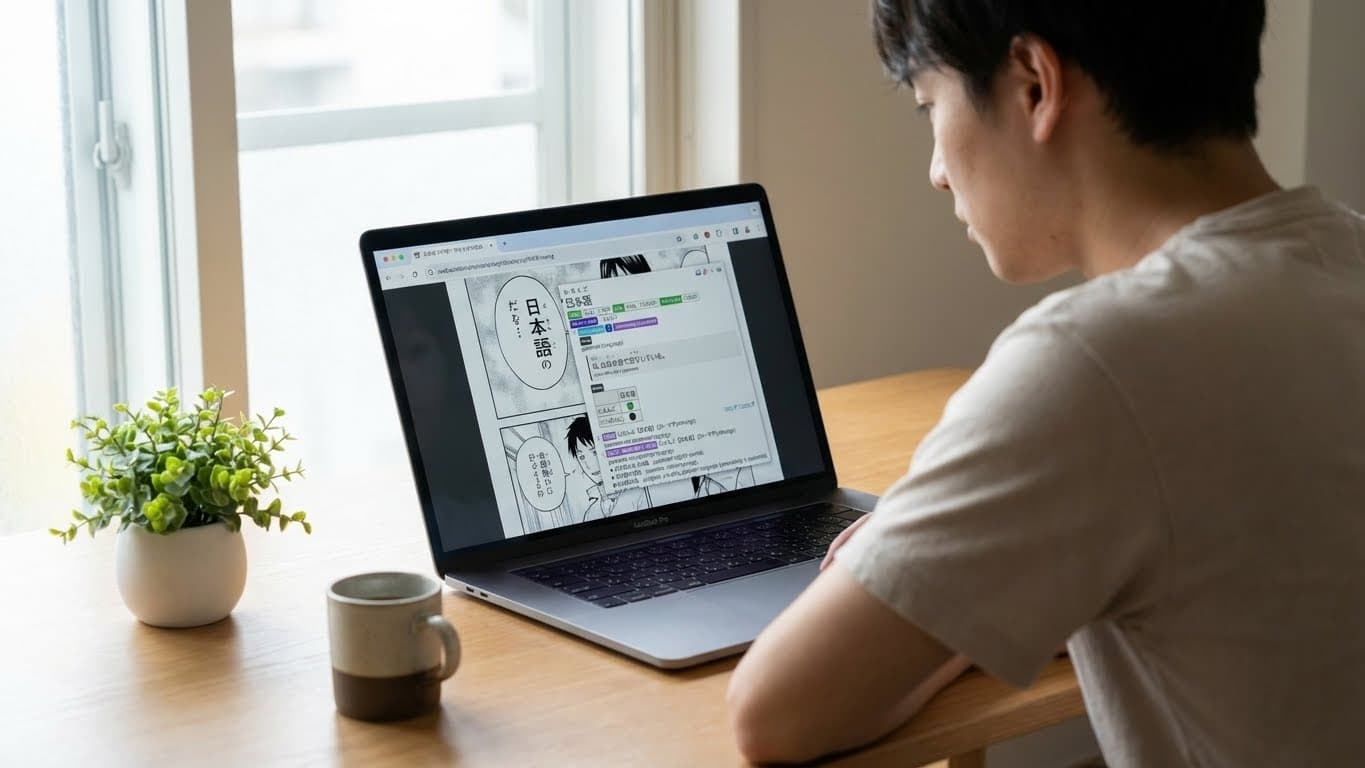
Need manga OCR that works across all your devices without local setup? Mokuro delivers powerful offline processing with excellent EPWING dictionary support, but the local-only architecture creates friction when reading on mobile or switching between devices.
| Feature | Mokuro | Yomeru.ai |
|---|---|---|
| OCR Processing | Local (offline) | Cloud-based |
| Setup Required | Python + CLI | Browser only |
| Mobile Experience | HTML files (limited) | Native web app |
| Cross-Device Sync | Manual file transfer | Automatic |
| EPWING Support | ✅ (via Yomitan) | ❌ |
| Processing Speed | Pre-process required | Real-time |
Quick decision: Reading on mobile across devices? Yomeru.ai. Batch-processing manga collections offline with EPWING dictionaries? Mokuro.
Why Local-Only OCR Creates Workflow Friction
Mokuro's offline-first architecture offers undeniable benefits for privacy and EPWING dictionary enthusiasts. The tool processes manga volumes locally through Python scripts, generating HTML or .mokuro files with selectable text overlays. This approach guarantees complete data control and supports advanced dictionaries through Yomitan integration.
However, the local workflow introduces practical constraints that impact daily reading habits. Processing a single manga volume requires several minutes of local computation, and the resulting files must be manually transferred to each device where you want to read. On mobile devices specifically, opening HTML files often requires workarounds, and some browsers display misaligned text boxes. Progress tracking relies on browser localStorage, meaning your reading position doesn't sync across devices unless you manually note the page number.
For learners who read manga on the train, during lunch, or switching between devices, these friction points add up fast.
Yomeru.ai: Cloud-First Manga OCR with Instant Access
Yomeru.ai inverts the architecture by processing OCR in the cloud and delivering results through a responsive web interface. Upload manga images from any device via drag-and-drop, and the system processes your pages with live progress updates. No Python installation, no command-line configuration, no file transfers between devices.
Your OCR results live in a cloud database that syncs across devices automatically. Open a manga on your desktop, pick up where you left off on your phone. The mobile interface is built for touch interaction, with word lookup popups that work without Yomitan or any other extension.
The trade-off is clear: no offline capability and no EPWING dictionaries, but zero-configuration access from any device with a browser.
Feature Comparison: Mokuro vs Yomeru.ai vs Manga OCR
| Feature | Mokuro | Yomeru.ai | Manga OCR (Standalone) |
|---|---|---|---|
| Processing Location | Local machine | Cloud server | Local machine |
| Initial Setup | Python 3.9+, CLI | Browser login | Python package |
| OCR Quality | manga-ocr model | AI OCR + premium dictionaries | manga-ocr model |
| Text Selection | HTML overlay | Interactive web UI | Raw text output |
| Dictionary Integration | Yomitan (EPWING compatible) | Premium dictionaries + grammar sources | None (manual lookup) |
| Mobile Support | HTML files (workarounds needed) | Native web app | N/A |
| Batch Processing | ✅ Full volumes | ✅ Multiple images | ❌ Single images |
| Progress Sync | localStorage only | Cloud database | N/A |
| Offline Mode | ✅ Complete | ❌ Requires connection | ✅ Complete |
| EPWING Dictionaries | ✅ (via Yomitan) | ❌ JMDict only | N/A |
| Processing Speed | 3-5 min/volume pre-process | ~30 sec real-time per page | Instant (single page) |
| File Format Support | JPG, PNG, PDF, ZIP | JPG, PNG, PDF, ZIP | JPG, PNG |
| Grammar Analysis | None (Yomitan provides definitions) | AI-powered with premium sources | None |
| Cost | Free (open source) | Free tier + paid plans | Free (open source) |
How to Use Mokuro for Offline Manga Reading
If EPWING dictionaries or complete offline access are non-negotiable requirements, Mokuro remains the superior choice. Here's the streamlined setup workflow:
- Install Python 3.9+ — Download from python.org and verify installation with
python --version - Install Mokuro via pip — Run
pip install mokuroin terminal - Process manga folder — Execute
mokuro /path/to/manga/folderto generate OCR files - Open in browser — Launch the generated .html file or upload .mokuro file to reader.mokuro.app
- Install Yomitan — Add Yomitan browser extension and import dictionary files (including EPWING conversions)
- Enable text lookup — Hover over Japanese text in Mokuro HTML to trigger Yomitan popups
For mobile reading: Generate files with mokuro --mobile flag, transfer the output folder to your mobile device, and open the HTML file in Kiwi Browser (Android) or Safari (iOS). Note that text box alignment issues may occur on some mobile browsers.
How to Use Yomeru.ai for Cross-Device Manga Reading
For readers prioritizing convenience and multi-device workflows, Yomeru.ai eliminates pre-processing and file management overhead:
- Create account — Sign up at yomeru.ai with email or Google authentication
- Upload manga images — Drag-and-drop manga pages or entire volumes (supports JPG, PNG, PDF, ZIP)
- Monitor OCR progress — Live progress updates show processing status as pages complete
- Click any word — Instant word lookup popup with readings, definitions, and part-of-speech tags
- Access from any device — Open yomeru.ai/app/ocr/library on phone, tablet, or desktop—results sync automatically
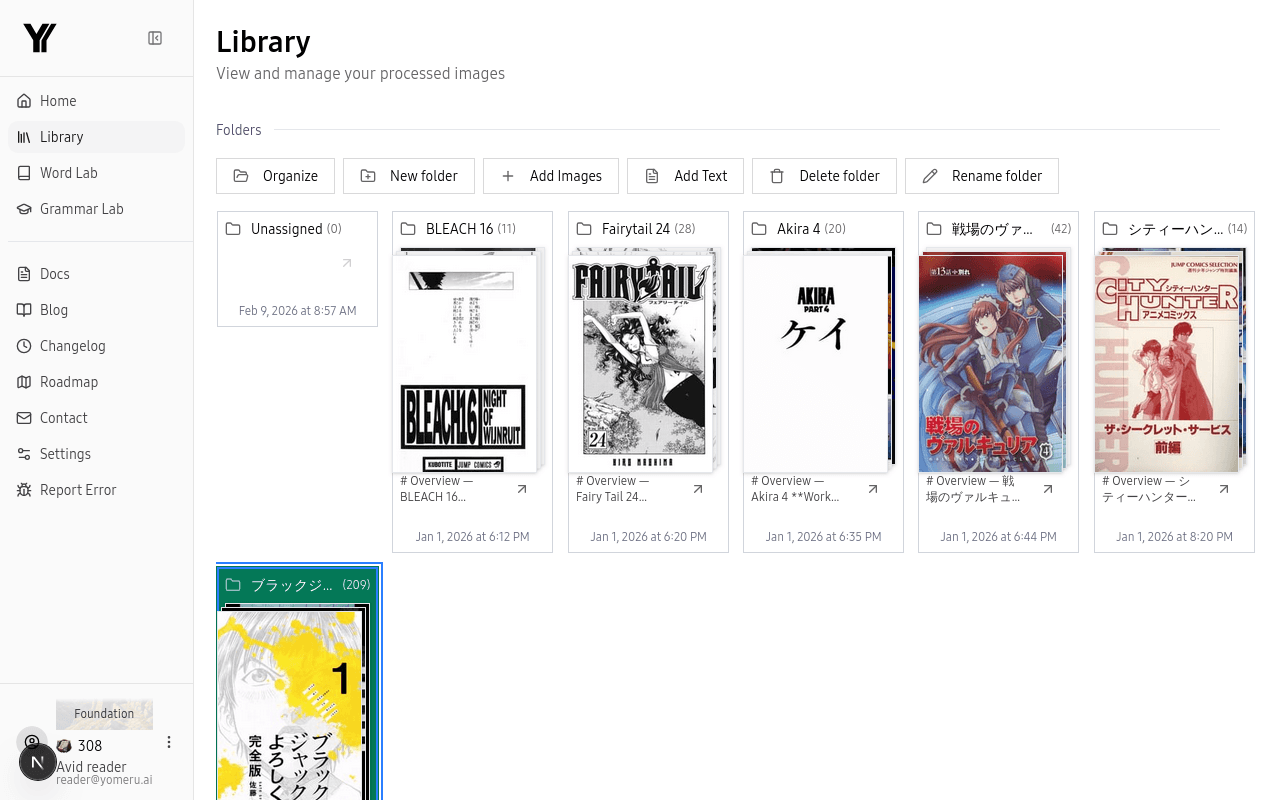 Organize manga by series or chapter with drag-and-drop folders
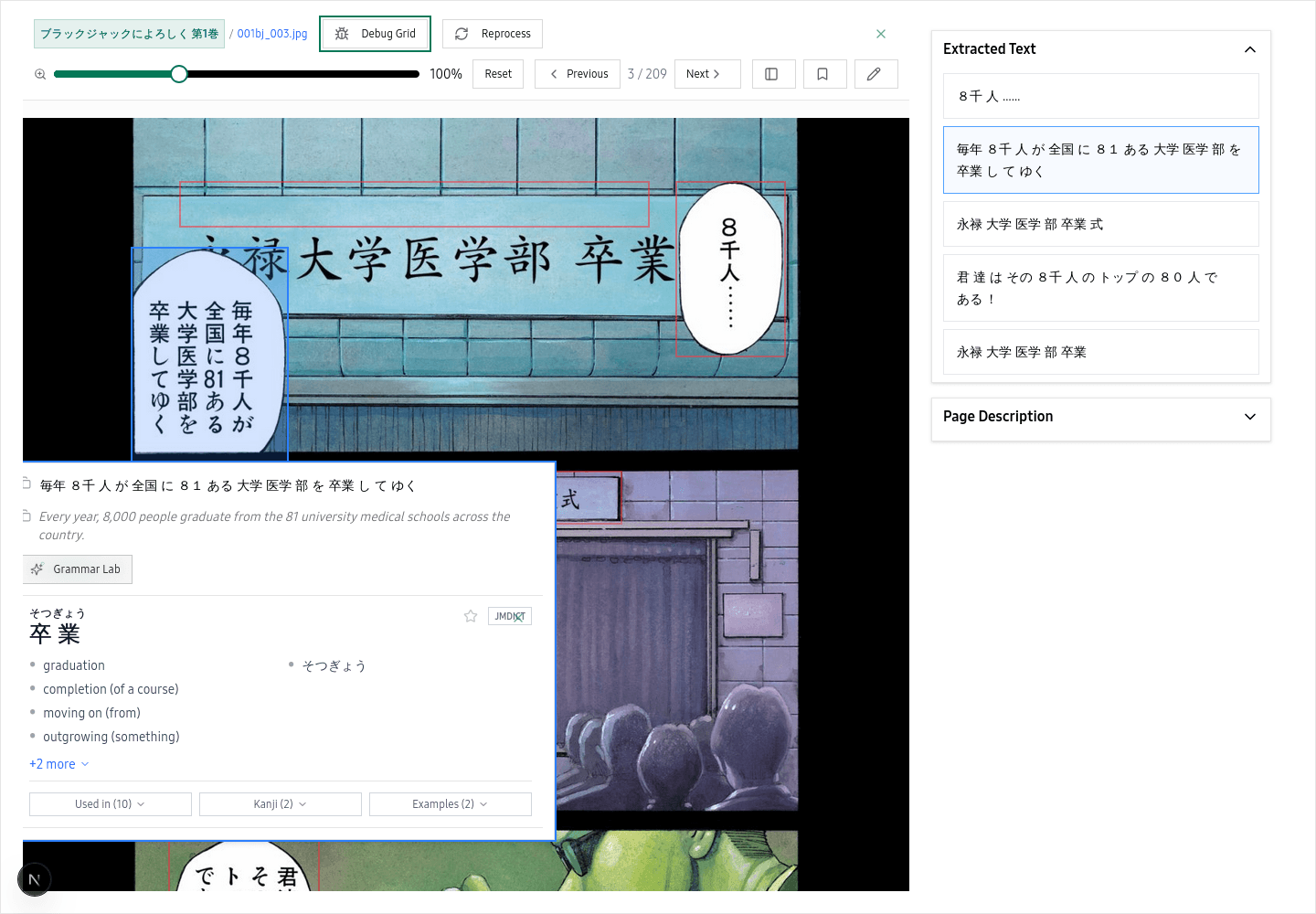 Click any word on the page for instant readings, meanings, and grammar breakdowns
The OCR library maintains full history with thumbnails, allowing quick navigation back to previously processed pages. Morphological analysis breaks down each word into readable components, making grammar parsing accessible without switching to external tools.
For choosing what manga to read first, see our level-matched manga guide.
Frequently Asked Questions
When to Choose Mokuro vs Yomeru.ai
Choose Mokuro if you need:
- Complete offline functionality for reading without internet
- EPWING dictionary support (専門辞書) for advanced Japanese study
- Maximum data privacy with no cloud uploads
- Integration with existing Yomitan + Anki workflow
- One-time processing of large manga collections you own
Choose Yomeru.ai if you need:
- Zero-configuration browser-based access across devices
- Mobile-first reading experience without file transfers
- Automatic cloud sync of reading progress and OCR results
- Integrated morphological analysis without external extensions
- Quick processing of individual pages or small batches
Both tools use the same underlying manga-ocr model for text recognition, so OCR accuracy is comparable. The architectural difference -- local pre-processing vs cloud real-time -- determines which workflow constraints you prioritize.
For a broader comparison including Yomitan, Anki, and other tools, see our reading tools roundup.
Further Reading
For the Mokuro workflow, the Lazy Guide manga setup tutorial covers advanced configurations including mining workflows and Yomitan integration. For EPWING dictionary conversions, Tatsumoto's comprehensive guide provides detailed instructions for Yomitan import. If you need help finding manga to practice with, see our guide to getting Japanese reading material.
Or download Mokuro from the official GitHub repository for local processing.
For finding level-appropriate content to read after setup, see our tadoku extensive reading guide.
Written by
Shuhei Nakamura
Japanese Language Educator
A Japanese language educator with over 15 years of teaching experience, Shuhei specializes in reading-focused approaches to language acquisition. Drawing from his background in applied linguistics and immersive learning methods, he writes about practical strategies that help learners build real fluency through extensive reading and native content.